
Everything it does.
During the call, after the call, and the bits in between.
During the call, after the call, and the bits in between.
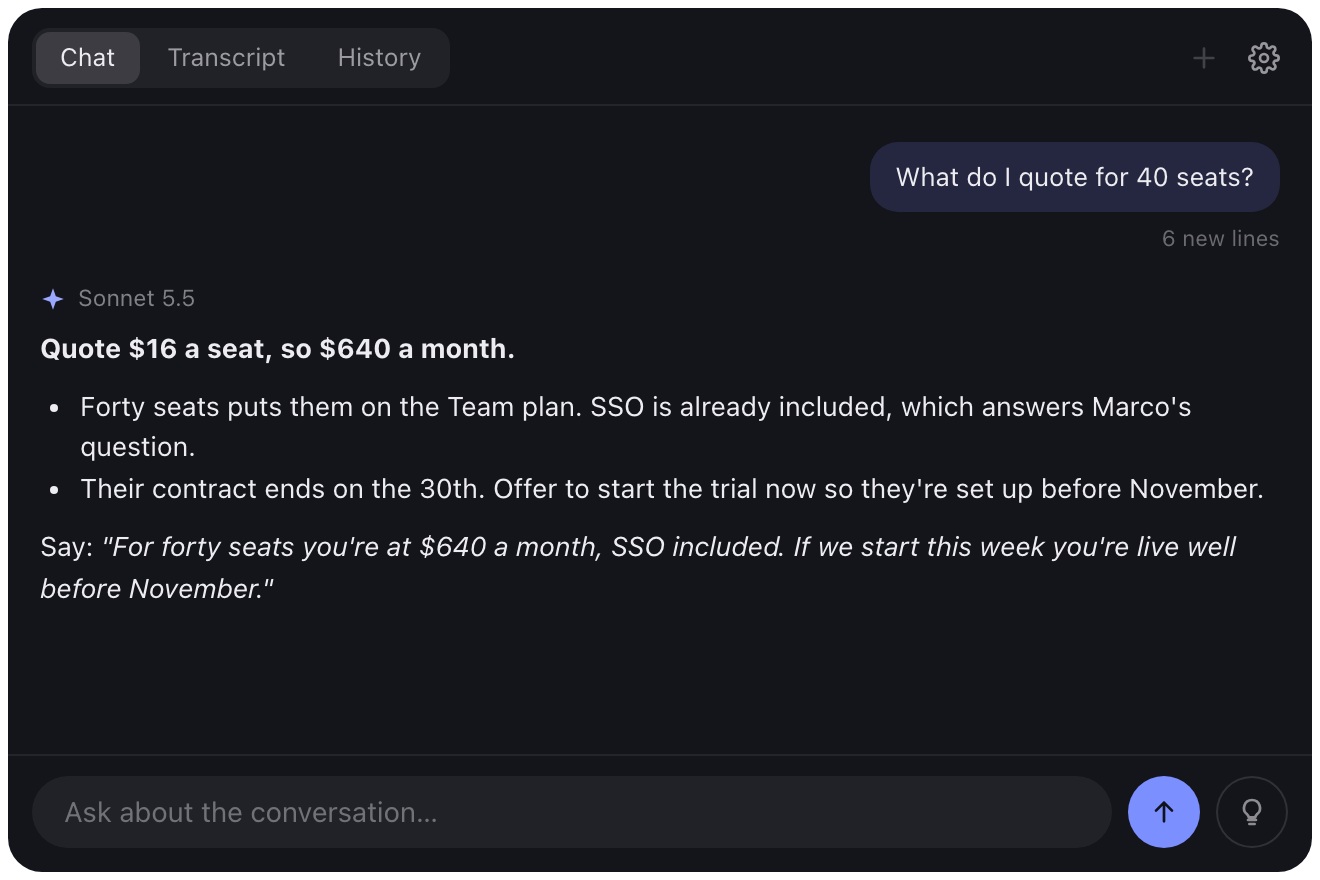
Press a key and Glint sends the last few lines of the call and a screenshot to your AI. The answer streams into the panel as it comes back.
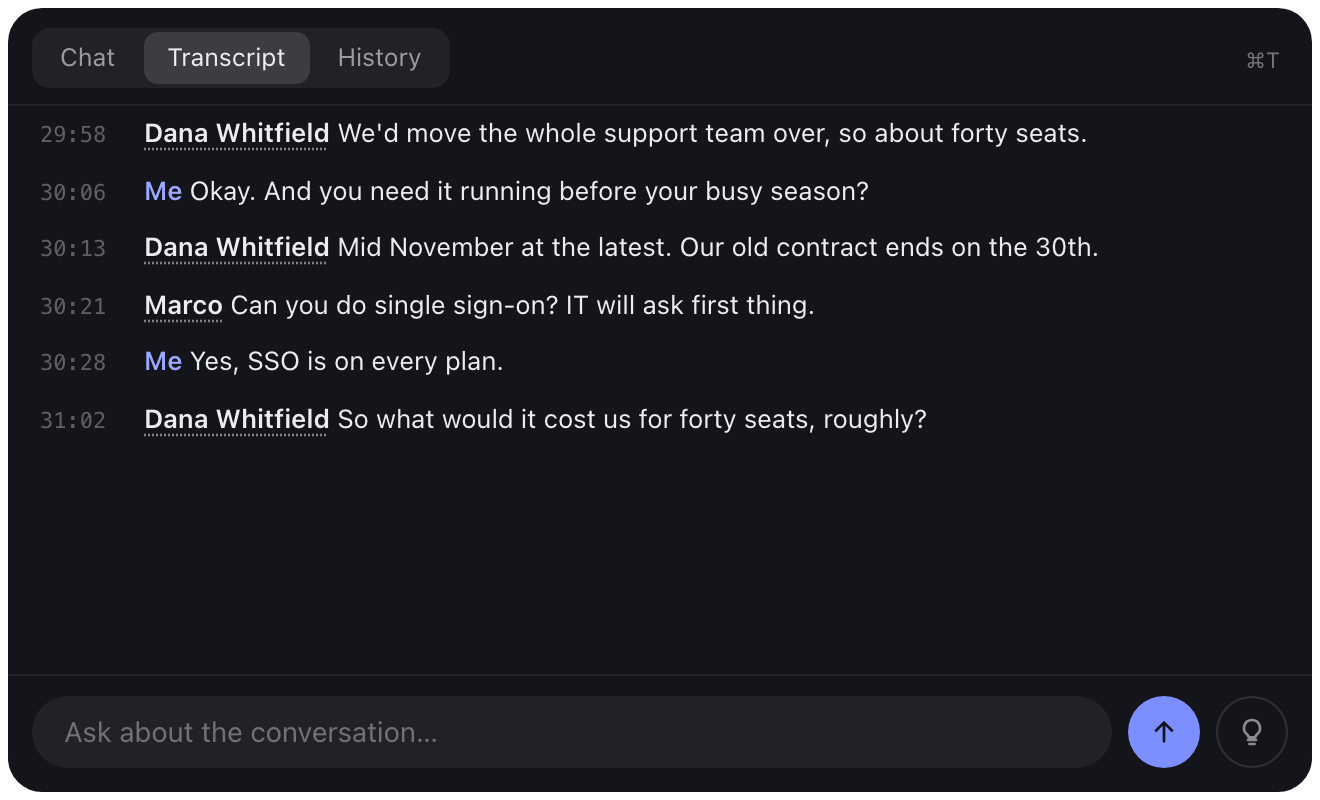
Both sides of the call are transcribed locally with NVIDIA Parakeet. Glint tells voices apart and remembers the people you name.
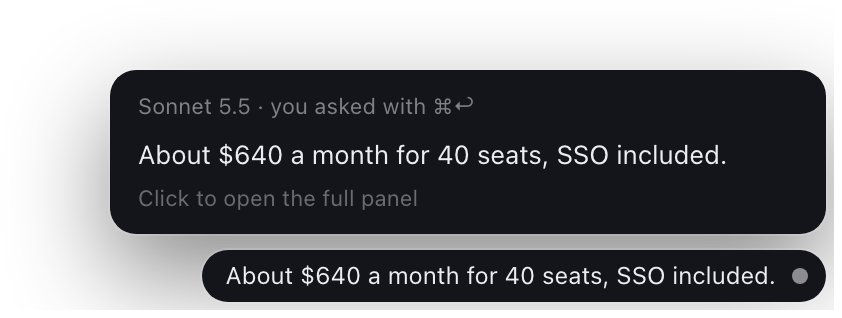
Glance shrinks Glint to a strip in the corner of your screen. When someone asks you a question, a short answer shows up there.

Ghost puts the answer in a small strip and moves along as you type it in any app, a few letters ahead of you.
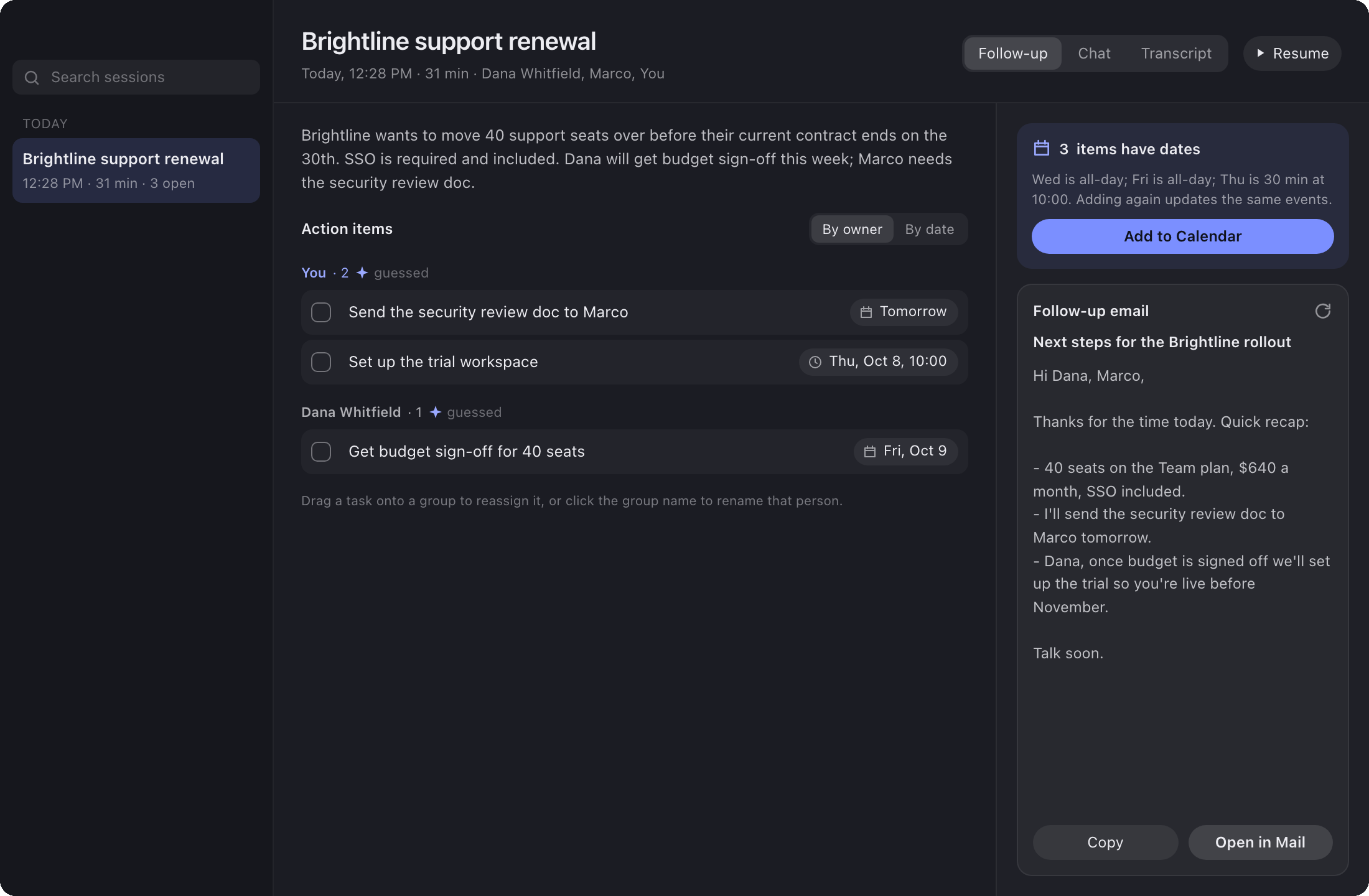
When the call ends you get a summary, the to-dos with who owns them and when they are due, and a follow-up email.

The capsule holds every control for the call. Move what you use onto it and the rest into Meeting options.
Claude or OpenAI with your own key, or Claude Code and Codex with the login you have. If one fails, the next one answers.
Give a mode your notes, a price sheet or a whole manual. Big files are searched, and only the parts that match are sent.
For meetings in person with one mic. Record your voice once and Glint tells you apart from everyone else.
Optional. Send answers through a rewriting service of your choice before they show up.
When you name a speaker, Glint can check the invite for the meeting you are in to get the name right.
Nothing to sign up for. Your keys stay on your computer, encrypted by the system.