We got tired of paying for Cluely.

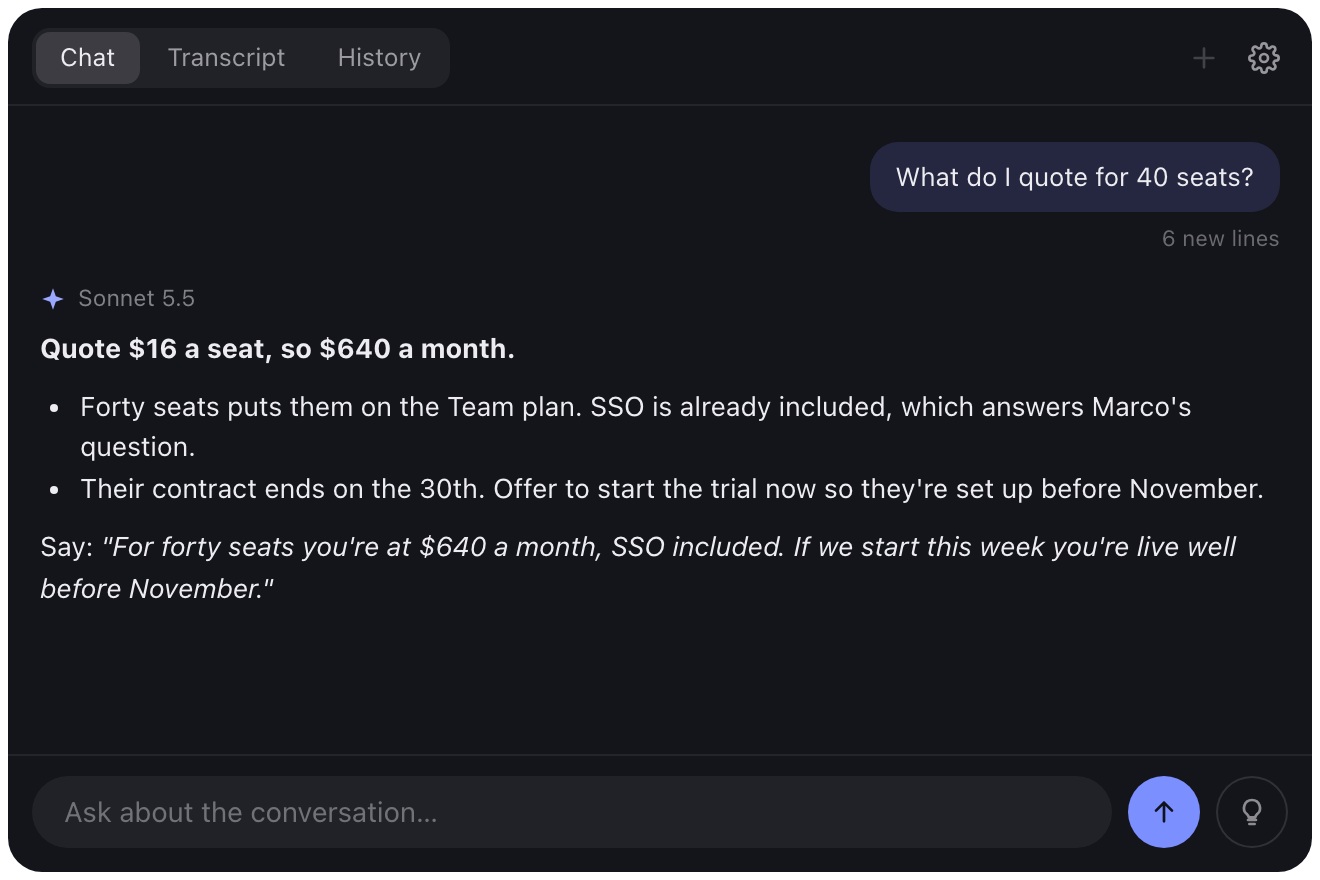
So we made Glint. It listens to your call, looks at your screen when you ask, and answers in a window nobody else on the call can see. It's free, and the code is on GitHub.

macOS 14.2 or later, or Windows 10 or later. Bring your own AI.
Brightline renewalREC 31:11
DWDana Whitfield
MMarco
JLJess Lin
YouYou
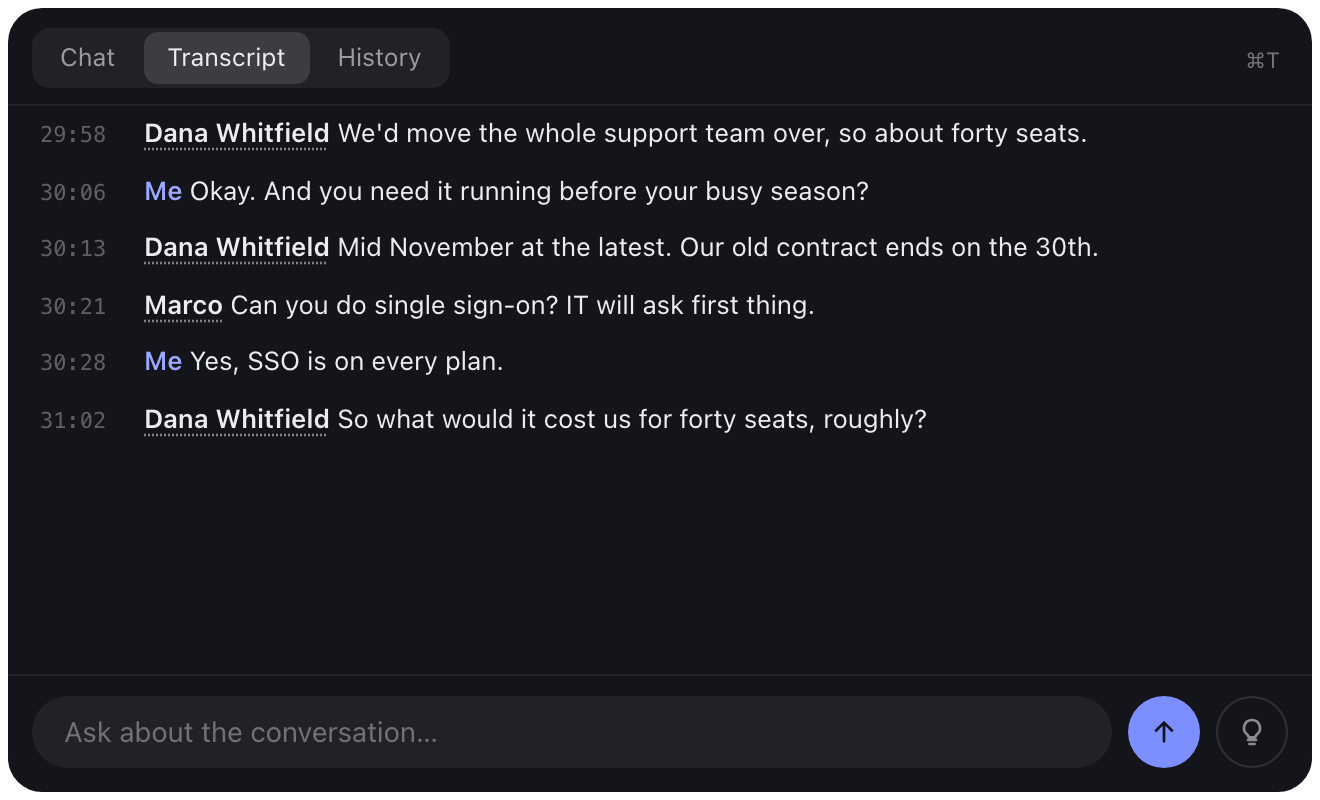
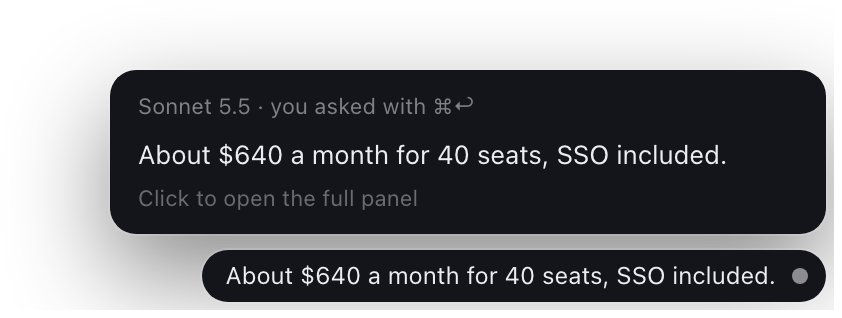
Glint's capsule: timer, mode, and the Ask button An answer in Glint's chat panel The live transcript Glance: a one-line answer in the corner Ghost: the answer to type, a few letters ahead
This is what the others see. No Glint.

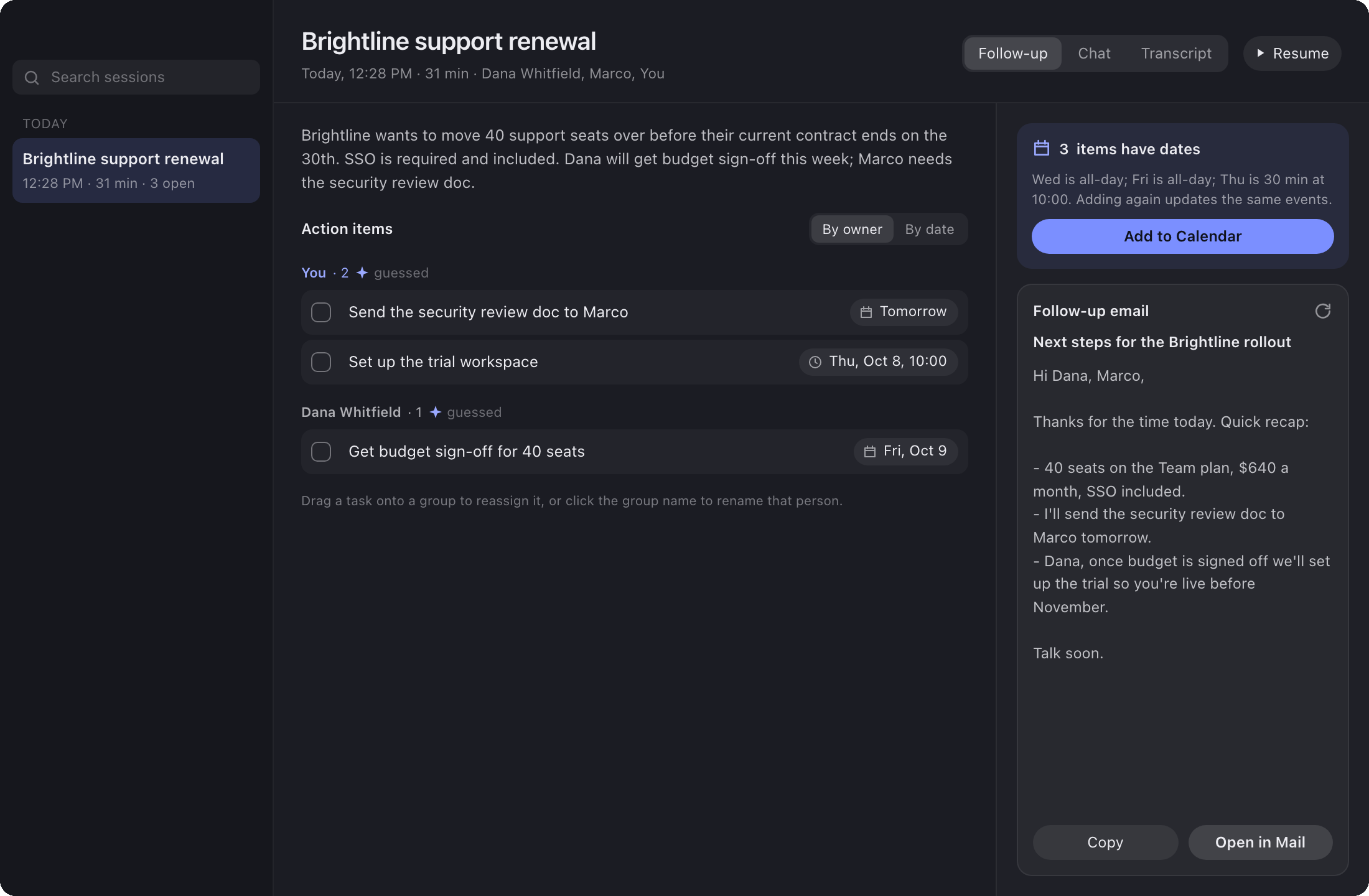
Then it writes the notes.

When you hang up you get a summary, the to-dos with who owns them and when they're due, and a follow-up email you can send as is.

Glint's notes window: summary, action items with dates, and a follow-up email

Not on the guest list.

Glint doesn't join your call as a bot. It runs on your computer, and its windows are left out of screen shares and recordings. Try the keys: they hide the demo up top, same as in the app.

⌘\

How invisible mode works →

In this call (4)

DWDana WhitfieldHost
MMarco
JLJess Lin
YYou
✦Note-taker bot

What you'd pay for elsewhere.

Transcribed on your computer

NVIDIA's Parakeet model runs locally. The audio never leaves your computer.

Hidden from screen share

On by default. Not a separate plan.

Notes and follow-ups

To-dos go into Calendar with one click. The email opens in Mail.

Works in person too

Discreet mode greys out the controls so someone glancing over sees nothing worth reading.

Commands you can run

If an answer has a shell command, it opens in your terminal and waits for a y.

Your AI, your bill

A Claude or OpenAI key, or the Claude Code or Codex login you already have.

Questions

Is it actually free?

Glint is. The AI behind it costs whatever your provider charges: usually a few cents a question with an API key, or nothing extra if you sign in with Claude Code or Codex on a plan you already pay for.

Can the other people see it?

Not in a screen share or a recording. Invisible mode is on from the start. Someone looking over your shoulder is another story, which is what discreet mode is for.

Where does my audio go?

Nowhere. It's transcribed on your computer. When you ask something, the question, the recent transcript and a screenshot go to the AI you picked, and nothing goes to us. There's no us to send it to.

Windows?

Yes. Windows 10 (version 2004) or later, 64-bit. Everything works the same, with Ctrl in place of ⌘. Install it on Windows.

Can I use it in an interview or an exam?

Glint transcribes other people, so get their consent where the law asks for it. And don't use it where outside help isn't allowed.


Keep the $11.99.

One line in Terminal or PowerShell, a few minutes of building, and it's on your computer.